

The World’s Most Helpful Poker Community – Trusted Since 2004
Join CardsChat and improve your poker and casino game with free strategy advice, guides and tips to take your poker to the next level!
Learn and discuss poker.
Play for free (no signup required).
Tips, resources and guides.
Top online bonus codes.
“The world’s most helpful poker community”


Want Online Casinos? CardsChat are experts in more than just poker
Immerse yourself in the thrilling world of online casinos. With thousands of casino sites available online, let our experts guide you through the best casino sites to play. Whether you are looking for the top sign-up and welcome bonuses or those with the largest game offerings, our 18 years of experience makes us a trusted source for online casinos.
Our top choices for playing online casino games.
Find the best casino bonuses available today.
Play for free, with our huge choice casino games.
Discover everything we know about online casinos.
The World’s Best Poker Forum
Over 340,000 active members make this the friendliest, most helpful online discussion group for all players.
- Poker Discussion
- Poker Strategy
- Our Events
- General Discussion
General Poker discussions that don’t involve poker news, online poker, strategy, poker rooms, brags, beats or challenges. Some examples are poker lifestyles, poker players, and poker variants.
Poker News & Events – 54k+ posts
News and headlines from the poker world, poker legislation, major event coverage and updates. You can also post opinions and insights here.
Discuss all aspects of playing poker online for example hardware, table selection and preferences, etc. Twitch, YouTube and other streaming threads can go here. Threads about specific poker sites should go in the Poker Rooms forum.
Ask questions and talk about specific online poker rooms in this section, for example PokerStars, Unibet, 888poker and others.
Discuss live poker rooms and your live poker experiences in this forum. Live events should be posted in Poker News and Events.
Discuss both online and live cash game poker strategy for Texas Hold’em poker games, Omaha, Stud etc here.
Tournament Poker – 298k+ posts
Discuss both online and live strategy related to MTT and SNG’s here.
Beginners’ corner for basic questions, general strategy and anything related to learning poker.
CardsChat Freerolls – 356k+ posts
Member only | This section is for all discussion and announcements related to our exclusive freerolls.
CardsChat Special Events & Buy-ins – 172k+ posts
Member only | Home of the legendary Guys vs Gals, Headsup Championship, exclusive buy-ins and more!
CardsChat League – 289k+ posts
Member only | This forum is for league announcements, events and discussions.
Community Hangout – 559k+ posts
Member only | General conversation, share interests, have a laugh, chat or discuss anything not related to the other forums.
New Members Corner – 7k+ posts
Member only | A place for our new members to gather and learn about CardsChat!
Raise Your Game
Give yourself an edge at the tables with our extensive strategy articles and free learning materials.

Free Course
Become A Winning Poker Player In 30 Days
This training course is written by poker experts, designed to help beginner & intermediate poker players improve their overall game.
Intended to be taken over a series of 30 days, each progressive lesson is accompanied by a video, where authors Collin Moshman and Katie Dozier build on each daily topic with extra explanations, hand reviews, tips and quizzes. The course is an amazing way to learn how to play like the best poker players around.
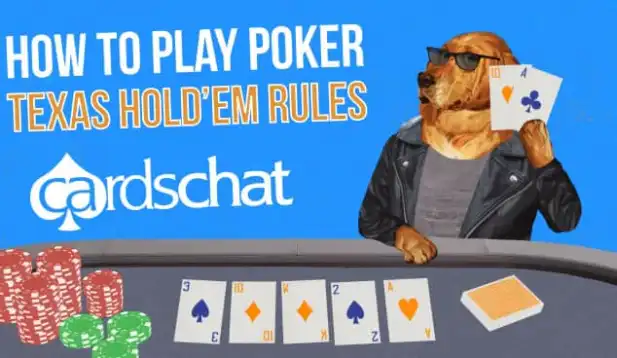
Guide
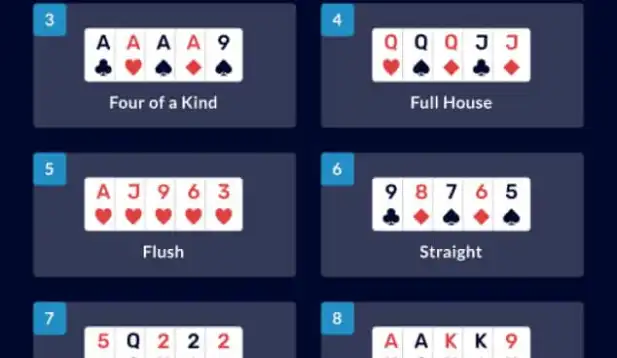
Guide

Where poker, passion and people come together
With 18 years in the industry, expert product testers and contributors from around the world, CardsChat is the home of trusted content and recommendations.
18
Years of service
90+
Sites reviewed
390,000+
Total members
5,163,482+
Discussions
Poker Tools
CardsChat provides the most useful resources for improving your game quickly.


